
Overview
Edit, create, and view CAD drawings in the AutoCAD mobile app
AutoCAD® mobile app has core design and drafting tools. Work on your CAD drawings anytime, anywhere—even offline.
- Update DWG™ files in real time
- Access drawings with your smartphone or tablet
- Get the app included with an AutoCAD or AutoCAD LT subscription or purchase separately

AutoCAD mobile app benefits

Design and draft anytime, anywhere
View and edit your latest drawings in the field and on the go. Access updates in real time via cross-platform workflows with AutoCAD or AutoCAD LT software.

Streamlined, paperless workflows
No need to carry printed drawings with you. Collaborate and make changes in real time, reducing unnecessary communication delays and trips back to the office.

Continuous connectivity
Stay connected to your drawings wherever you are. Quickly access DWG files anywhere with Autodesk’s cloud, as well as with leading cloud storage providers.

Cohesive AutoCAD experience
Get core AutoCAD drafting tools and the precision, consistency, and fidelity you’ve come to expect from AutoCAD.
How it works

1. Access drawings from your mobile device in the field or outside the office.
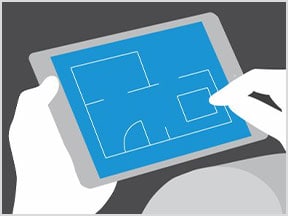
2. Draft, edit, mark up, and measure plans at the job site or on the go.
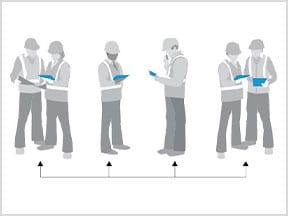
3. Collaborate with colleagues and make changes in real time.

4. Get updated drawings in AutoCAD when you get back to the office.
Version
|
MONTHLY |
1YEAR |
|
$10 |
$110 Only $10/Month value |
|
MONTHLY |
1 YEAR |
|
$20 |
$216 Only $18/Month value |